

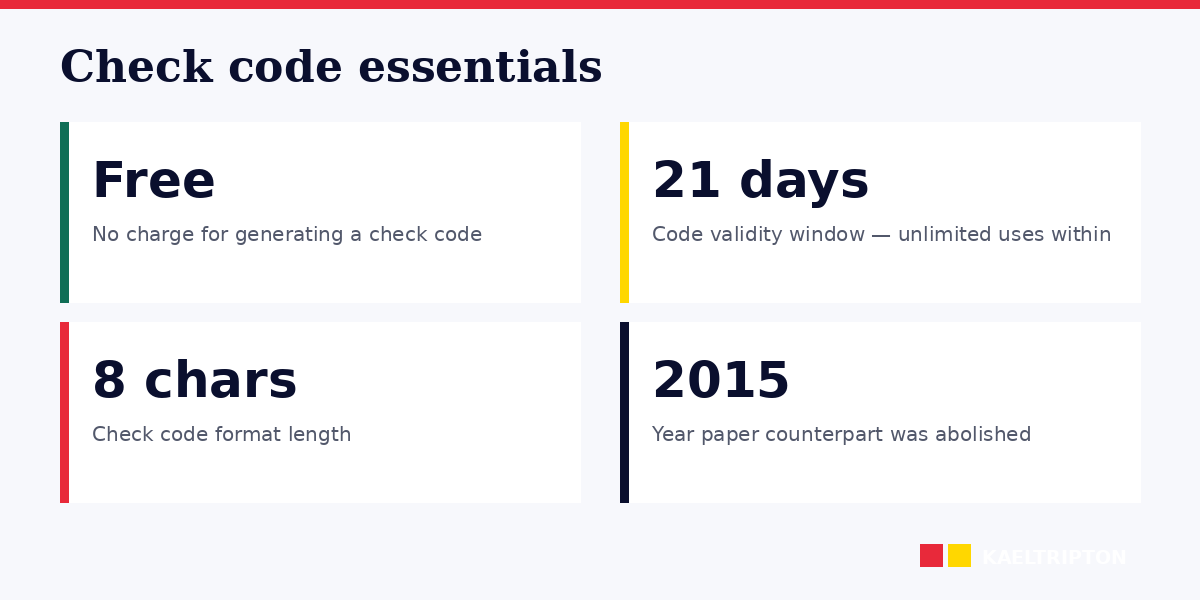
Since the paper counterpart to the UK photocard driving licence was abolished on 8 June 2015, drivers share their licence information via a 'check code' generated free from gov.uk. The code is valid for 21 days and can be used unlimited times during that window by car hire companies, employers checking right to drive, or insurance providers needing to see endorsements, restrictions, or entitlements. It's essential for EU car hire — many rental companies require it before releasing a vehicle. The recipient enters your check code, your driving licence number, and the last 8 digits of your National Insurance number (yes, they need those) on the official View Driving Licence service. This guide covers the 2026 process, what the recipient sees, edge cases, and why the system matters post-Brexit.
| ★ EDITOR'S VERDICT Free, 21-day check code from gov.uk. Essential for EU car hire. |
Since paper counterparts were abolished in June 2015, UK drivers share licence info via a check code generated free at gov.uk/view-driving-licence. Code is 8 characters, valid 21 days, unlimited uses during that window. Car hire companies across the EU now standardise on the check code — present both your photocard and the code at pickup. Recipients need three things to access your record: check code + licence number + last 8 digits of your NI number. Generate the code 1-2 days before travel for a safety margin. |
Why the check code system exists
Before June 2015, UK driving licences had two components: a photocard and a paper counterpart. The counterpart showed any penalty points, endorsements, medical restrictions, and licence history that weren't on the photocard. Car hire companies, employers, and insurers used the counterpart to verify your full licence status.
In 2015, DVLA digitised the counterpart. The physical paper was abolished. Drivers now access the same information via the online View Driving Licence service at gov.uk. To share this with a third party (car hire, new employer, insurance), you generate a check code — a unique 8-character reference that grants the recipient temporary access to your licence details.
The key design: no paper document for you to lose, third parties see exactly what they need at the moment they need it, and your data is only accessible during the 21-day validity window.
How to generate a check code
At gov.uk/view-driving-licence:
- You'll need: driving licence number (on photocard front), National Insurance number, UK postcode
- Click "View your driving licence information"
- Enter your details and verify identity via DVLA records
- Select "Share your licence information"
- Review and confirm your details are correct
- Receive an 8-character check code (example: AB12 CDE3)
- Code is valid for 21 days from creation
The service is completely free and available 24/7. Generate as many codes as you need — there's no limit. Each code is single-session but can be used multiple times by the same recipient (e.g., a car hire company running pre-rental and at-pickup checks).
What the recipient sees
When a third party uses your check code at the verification service, they see:
- Your name and date of birth
- Your licence number
- Licence validity dates (issue and expiry)
- Photocard expiry
- Categories you're entitled to drive (cars, motorcycles, HGV, etc.)
- Any restrictions (e.g., "glasses required for driving")
- Any current penalty points or endorsements
- Medical exemptions or specific permissions
- Any licence suspensions or revocations
They do NOT see: your address (generally), bank details, photograph, or information outside your driving record.
Some recipient services display a simplified view focused on just what they need — e.g., car hire shows entitlements and endorsements but not unrelated DVLA data.
Using the check code for car hire in the EU
Since Brexit, car hire companies in EU countries have increasingly standardised on the UK check code system for verifying British drivers. Many rental providers (Europcar, Sixt, Enterprise, Avis, Hertz) now require the check code alongside your photocard at pickup.
Practical process:
- Generate a check code 1-2 days before your rental
- Email the code and your driving licence number to the rental company in advance if requested
- Some companies email you a pre-pickup form asking for these details
- At pickup, present your photocard licence and (if not pre-submitted) the check code
- Rental staff verify on their system, complete the rental paperwork
Without the check code, many EU car hire companies refuse to rent — particularly to younger drivers or those from markets where fraud is more common. Budget companies are typically stricter than premium chains.
If your check code has expired when you arrive at the rental desk (e.g., 22+ days after generation), you'll need to regenerate on your phone. WiFi is usually available. Budget 10 minutes for this unexpected step.
Employer right-to-drive checks
If you drive for work — taxi/private hire, delivery driver, HGV, commercial driver roles — your employer is legally required to verify your licence regularly. The check code is the standard mechanism:
- At hiring: first check typically covers the last 5 years of driving history
- Periodic checks: annually or at insurance renewal
- After an incident: if you've been involved in an accident or received penalty points
Your employer typically requests the code via email or HR system. You generate and share. The code is valid 21 days so the employer has time to complete the check.
Refusing to provide a check code during a legitimate employer request can be treated as a breach of employment contract and grounds for dismissal in driving-dependent roles.
Other common uses
- Insurance applications: to verify your driving history and penalty points when getting quotes
- New job checks: for roles that involve driving, even not the primary job function
- Fleet management: companies managing vehicles check driver licences periodically
- International travel: some non-EU countries request to see UK licence validity, especially for long-term relocation
- Border checks or police requests: in specific circumstances, though usually drivers present the photocard directly
Privacy and security considerations
Your check code is essentially a one-time access key. Treat it like a password:
- Only share with legitimate recipients who need to verify your licence
- Don't post check codes publicly or on social media
- Don't include them in unencrypted emails if you're concerned about interception
- If you suspect misuse, regenerate (the old code becomes invalid)
The 21-day validity limits exposure. Even if someone intercepts your code, they have only a 3-week window before it expires.
Your National Insurance number is also required — so if a recipient asks only for the check code without your NI details, they cannot access your record. This is a safety feature: possession of just the code alone doesn't give full access.
A real 2026 scenario: car hire in Spain
A 34-year-old from Birmingham flies to Alicante for a 2-week Spain trip. Booked a compact car with Europcar at Alicante Airport for 14 days.
2 days before departure: Europcar sends a pre-rental email requesting licence check code and photocard copy. She visits gov.uk/view-driving-licence, generates check code ABC1 DEF2. Emails code to Europcar's pre-check team.
1 day before departure: Europcar emails confirmation — check code successfully verified, no issues with licence, booking confirmed. No further action needed at pickup.
Arrival at Alicante: presents photocard licence, passport, credit card. Europcar staff already have her verified licence on their system. Rental completed in 10 minutes.
Return journey: drops off car on day 14. Fuel check, damage check, off she goes. No re-verification needed — the check code served its purpose during the pre-check phase.
Check code lifecycle: ABC1 DEF2 expired roughly 19 days after generation — well after the rental completed. No ongoing security concern.
Frequently asked questions
Is the check code the same as my driving licence number?
No. Your driving licence number is your permanent identifier (16 characters, printed on the photocard). The check code is an 8-character temporary access credential valid 21 days. Third parties need both — licence number plus check code plus partial NI number — to access your full driving record.
How do I generate a check code without my licence number?
You can't. The licence number is required to access your DVLA record. If you've lost your licence, apply for a replacement first via gov.uk/apply-online-to-replace-a-driving-licence. £20 fee, typically 3-5 working days. You can then generate check codes once the replacement arrives.
Does the check code cost anything?
No. The service is free, operated by DVLA. Any website charging for "UK driving licence check code" or similar services is either misleading or fraudulent — the official gov.uk service is always free.
Can I use a check code with an expired photocard?
If your photocard is close to expiry, most recipients will still accept the check code but may require a new photocard when ready. If your photocard is already expired, renew first (£14 online) before generating check codes — your licence needs to be current for the check to return valid data.
What if a car hire company doesn't accept check codes?
Some countries or smaller companies may want additional documentation — your photocard plus a recent DVSA or DVLA summary letter. Contact the rental company directly before travel to confirm their requirements. Mainstream providers in major EU destinations accept check codes as standard.
Does the check code work for provisional licences?
Yes. Provisional and full licences both have licence numbers and can generate check codes through the same gov.uk service. Provisional drivers might need to show check codes for some purposes (insurance, private practice sessions), though car hire companies typically require full licences.
Can I generate a check code for someone else?
No. You must access the service using your own DVLA details. Attempting to access another person's record is fraud under the Computer Misuse Act 1990 and Data Protection Act 2018. The service requires your unique combination of licence number, NI number, and postcode.
Sources
- GOV.UK, View your driving licence information — gov.uk/view-driving-licence
- GOV.UK, Check someone else's driving licence — gov.uk/check-driving-information
- DVLA, Share driving licence information with someone (2015 change)
- Motor Vehicles (Driving Licences) (Amendment) Regulations 2015
- Computer Misuse Act 1990 and Data Protection Act 2018 (regarding unauthorised access)
- DVLA, Driving licence information sharing — FAQ


